Showing posts with label Tutorials. Show all posts

Monday, 24 August 2009

Goodies: Background - Textures for you - Part 1

A lot of stardoll users are making there own magazines. I also have some like "Bakrupty of the Stardesigner", "How to become a CG?" or "Bride Magazine". I give you some goodies - that means some material for your magazine. A lot of magazines have cool backgrounds. I list you up some cool, unique backgrounds. Have fun by using them.


Tuturial: Texteffects by maryam-jan

 
You can pimp up your Blogspot with simple little tricks. People loves blogs which are individual and new. You can push your post up, when you use simple TEXTEFFECTS. You can make your text more interessting not only with using the right words, also with colours, fonts and more. The eye is seeing everything. I show you some effects i know. When you want to use one, please ask me in a comment i give your the HTML. In blogspot you can use different text colours, sizes ( from small to largest), bold, etc.

Text Here

A line trough Text marks when you something agains, something is out or so.


Text Here

This shows a normal text.

Underline Text

A normal is boring. You can underline important, significant things which are important to the whole context.

Font Style

This is one of possible Font Style. Mark important words, sentences with different Fonts.

Drop Shadow

A drop shadowed Text.

Shadow Text

A shadow text. 


TEXT HERE

Background color

A background colour is important too. Its a good methode to underline a sentence. 

Bordered Textall Fonts

Text link to a page

Often you talk or write about other sites. Then you can make a Text link. E.g. you explain how to get a free stardoll gift, then you can make a text link where the visitors can go directly to the other site.

Use this: < href="'PAGE">< color="'#FFFFFF'">Text link to a page< /font >< /a >

Make the spaces between in the <> away.

Script Text

This script text is very indivdiual and looks great. 

differnt colour font

differnt colour font

Sorry this Text isnt shown correctly. But its a text with different colours.

Overlapping
Text

Marquee TextTEXT GOES HERE!

This is a marqueeing text too. Change colours like you want. 

rainnbow

The rainbow is very colourful and positive.

Text close togehter


Bordered Text

This is a simply bordered text. You can change the colours like you want.


LETTER HERE
LETTER HERE
LETTER HERE
LETTER HERE
LETTER HERE
LETTER HERE
LETTER HERE
LETTER HERE
LETTER HERE
LETTER HERE
LETTER HERE
LETTER HERE
LETTER HERE
LETTER HERE
LETTER HERE
LETTER HERE
LETTER HERE
LETTER HERE
LETTER HERE


Sorry, this Text isnt shown right. But its a letter in a border. The letter is marqueeing. Its moving. This is cool and futuristic. No one else have it.


Wednesday, 19 August 2009

FREE Moxie Girlz Poster

You can get FREE Moxie Girlz poster. Just follow this easy steps. 

1. Go to myproxy.ca or schoolunlock.info
2. Type in Stardoll.com/en
3. Log in. You have the poster!

Also there is a cool & huge Moxie SHop. If you want to go to the Moxie Girlz shop, use a manual proxy from the USA which lets the StarPlaza load. You can also find the clothes by color search. Update: Some items appear under "Hot" without a proxy.

Wednesday, 12 August 2009

FREE Post Grad Bag


Get your FREE Post Grad bag following these steps:

1. Go to schoolunlock.info or myproxy.ca
2. Type stardoll.com/en/cinema on the Proxy URL Bar
3. Now you're at the Stardoll Cinema. Log in.
4. Wait a few seconds, then close the window.

P.s. You may have to watch he full video.

Saturday, 8 August 2009

Tutorial - Why people vist your blog


This is the top five reasons why people come to your site! 


1 - Tutorials//html codes i think this because people like to go on sites to find help, ideas, and ticks of how to make there websites better to do this - add your own tutorials, html codes and tips, this makes it more unique, and people will come on your site!!

2 - Content made by you - People like to see orignially, professional stuff thats made by you, they find it annoying going on a website, thats full of stuff they've seen hundreds of times before. To Do this - download or buy a psp or photoshop, that, then simply find some tutorials on how to make and funk up your blends.

3 - Simple Design if your website is simple people will vist it again, keep the pages low, and try not to crowd your homepage with pictures. this will put people off your website. To do this - simple stick to a blend, and learn how to use tables, iframes, pop-ups, all the stuff like that, and try not to use welcome pop-up signs.

4 - HTML CODES - people like to see sites, with coll cursors and funky page transitions, its makes think, now this is cool. But try not to go over board. To do this - go to a decent enough site, that you know that it has html codes but like i said try not to go over board with them.

5 - Matching Colours try and keep your page colours simple and matching, people think it looks good, and try too keep neutral colours, not bright ones. to do this - well this is easy neither find a colour chart or download a pixel, pixels are funn to use because they can follow your cursor and get u any colour u want!!!

Love maryam-jan

Friday, 7 August 2009

Free Stuff


New free things are there. The PSP CAMPAIGN!!


Get a free purple PSP and Guitar.

1. Go to myproxy.ca

2. Type in stardoll.com in the Proxy URL Bar

3. Log into your account.

- So now you got this amazing lilac PSP -


4. For the guitar, go back to myproxy.ca

5. Type in http://www.stardoll.com/campaigns/psp/

6. Go to your suite and enjoy your lilac PSP and the lilac guitar!! (Man, I love stardoll ;D)

Wednesday, 15 July 2009

Get the Hannah Montanah free stuff

To get the Hannah Montana Top and the Hannah Montana Belt, use this manual proxy: 62.49.191.253 port 80, or 128.232.103.203 port 3124. That proxy is really slow, so be patient! Maybe it won't work for you, so search "UK free proxy" on Google! If you know any UK proxy that works post it on comments!
Then go to http://www.stardoll.com/es/clubs/home.php?id=1350765.

When you are in the club, watch “Trailer 2”. Stay a few seconds and then log out!
You have the tee now! Plus if you missed the previous gift, you just need to watch the Trailer 1!

Tuesday, 7 July 2009

How to join the Disney CLub

To join The Disney Club: use an american proxy server like www.schoolunlock.info/ and you’ll get gifts as the clubs reaches more members! For the Simple Club, you’ll need an UK proxy, but that club doesn’t give you anything when joining and you’ll need a proxyserver everytime you want to go inside, but if you really want to: daveproxy.co.uk is an example. TIP: Half the time it works to join, the other half it doesn’t, so all I can say is: keep trying! :S

Vivienne Tam gift

Members of "THE DISNEY CLUB" got their next gift. There are now 50.000 members so you got the VIV belt. And with 55.000 members you can get the purple bag.

Sunday, 5 July 2009

Free Gifts & Stardollars


So now theres a Jonas Brothers club, like the Confessions of a shopaholic club.. You will recive gifts when the club has a certain number of members.. Buut.. It's once again not open for everyone to join.. (I think it's only the US or UK). So what you need to do to join is:

1. Go to myproxy.ca

2. Paste stardoll.com in the browser and browse.. X)

3. Log in to your account

4. Go to clubs and search for a club named Jonas Brother

6. Join the club


Note; If you can't join , you can ask me for help :)

Free Simple Swimsuit


So this shopping bags from SImple will arrive in your Suite if you have followed the steps whihc i posted on post before.  Its soooo simple. 

Here the steps again:

number.
2. Enter this link in your url bar:
http://www.simple.co.uk/stardoll/?u=
and before you press enter, paste your User ID after “u=”.
3. Press enter xP
4. At the bottom of the page you’ll find a sort of ‘form’. Fill this in with FAKE info. Even something like sdf@sdf.com will do. Your name does NOT need to be your stardoll name.
5. Press ‘Submit’.

NOTE: If you already had an account on the Simple website, you will need to make a different one. Just log out of your old account and make a new one with a different email address.

NOTE 2: You do NOT need to be a member of the club to get it! Some are having trouble joining the club, but you don’t need to be a member of it. + If you joined the club you would have to use a proxy every time you wanted to visit it, so there’s no point in joining it really…

FREE Simple Swimsuit & Hat


Get your Simple FREE Swimsuit and Hat by following these steps:

1. Type http://www.simple.co.uk/stardoll/?u= (after the =, put your User ID, which can be found in My Account/Account Settings. DO NOT put your username!) in your URL bar.
2. You'll be redirected to a Simple website in which you have to fill a form. You can use fake info, just fill it!
3. Once you click "Submit" go back to your Stardoll Suite. You will find a 2 Simple Bags!

No need to use a UK Proxy! 
Did it work for you?

Friday, 19 June 2009

Free Stardesign dress

Oh my gosh, you can get the "BEST VOTED WATER DRESS" for o stardollars. That is really true. Just go the the starplaza and get the free dress. That was the competition with stardesign, how cool.

waterbanner.bmp (607 KB)

Friday, 12 June 2009

Misterius Suite letter

Hurry up, go to your Suite. You will find a golden, closed, misterious letter in your suite. You dont know what it is. It looks like an invation to a prom or something else. So interested????

Click on the letter to open it. 


And you see a invation card for PRINCESS PROTECTION PROGRAMM Preview Party in the stardoll cinema. SO have fun by looking at it.

Thursday, 11 June 2009

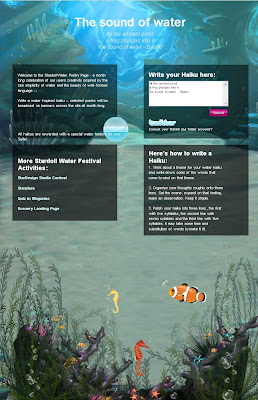
More Stardoll Water Festival Activities:


There are some more co ps. Just look at it and click on it. WATER TIME !!!

Wednesday, 10 June 2009

FREE Disney Video Player

You can get a free FREE Video Player from Confessions of a Shopaholic! 

If you are from the USA, just open the "Stardoll Newsletter" dollmail and click on the "Find Out More" arrow, with takes you to the Disney Club. Then, join the club. But if you're not from the USA, go to myproxy.ca, put "stardoll.com/en/clubs/home.php?id=1288416/" on the Proxy URL bar, log in, join the club, and log out. You now have the DVD player!

Friday, 5 June 2009

Free T-shirt


You can get a free Jonas Borthers T-Shirt. 

To get your FREE Jonas Brothers T-Shirt, go to the Stardoll Cinema ...

If you aren't, follow this steps:

1. Go to http://www.surfert.nl/
2. Type in the proxy box: stardoll.com/nl/cinema
2. You're now in the Cinema. Log in. 
3. Wait a few seconds, then log out. You have the T-Shirt now!

Saturday, 30 May 2009

Tips for your Site


1. IF SOMEONE SIGNS YOUR GUESTBOOK (OR ANY WHERE ON YOUR SITE) ADD THEM TO YOUR FRIENDS LIST. VISIT THEIR SITE, AND BE SURE TO RETURN THE FAVOR. _____________________________________________________

2. FIND A LONG FRIENDS LIST ON SOMEONES SITE, AND START VISITING. SIGN GUESTBOOKS AND LET PEOPLE KNOW WHAT YOU THINK OF THEIR SITES. DON'T BE RUDE, IF YOU DON'T LIKE THEIR SITE, JUST LEAVE. DON'T BOTHER SIGNING ANYTHING.

_____________________________________________________

3. NEVER JUST LEAVE YOUR SITE NAME ON A SITE. IT IS VERY RUDE, AND YOU ARE LIKELY TO NOT BE VISITED. AND IF YOU DO GET VISITED YOU WILL PROBABLY RECEIVE A RUDE COMMENT FOR ONLY LEAVING YOUR SITE NAME ON THEIR SITE. _____________________________________________________

4. UPDATE YOUR SITE OFTEN. I REALIZE ALOT OF YOU ARE IN SCHOOL, AND THAT INTERFERS WITH YOUR WEBSITE BUILDING TIME, BUT UPDATING IS A MUST, IF YOU ARE TOO BUSY WITH SCHOOL AT THE MOMENT. YOU MIGHT OUGHT TO LEAVE A NOTE *OR MANY NOTES* THROUGHOUT YOUR SITE LETTING PEOPLE KNOW WHY THE FEW UPDATES, THEY WILL UNDERSTAND. _____________________________________________________

5. SET UP LOTS OF ADVERTISING PAGES ON YOUR SITE. SUCH AS RECOMMENDED, TOP 10, SOTW, AFFILIATES, ETC. PEOPLE LIKE TO ADVERTISE THEIR SITES, OR ELSE YOU WOULD NOT BE READING THIS RIGHT NOW. SO HELP THEM GET ADVERTISED, AND OTHERS WILL HELP YOU. _____________________________________________________

6. NEVER STEAL FROM ANOTHER SITE, IT MAKES YOUR SITE LOOK BAD. PEOPLE ARE NOT GOING TO COME BACK AND VISIT A SITE WHERE YOU CAN SEE THAT THINGS HAVE BEEN TAKEN FROM ANOTHER SITE, AND A NEW TRADEMARK PLACED. IF YOU DO NOT HAVE PROGRAM TO CREATE YOUR OWN THINGS. ADD OTHER PEOPLES CREATIONS. PEOPLE ARE NOT ON YOUR SITE TO SEE JUST YOUR WORK.  _____________________________________________________

7. PLUG EVERY PLUG BOARD YOU CAN FIND. YOU MIGHT NOT THINK THE BUTTON WILL GET NOTICED BUT IVE CLICKED ALOT OF BUTTONS IN PLUG BOARDS JUST TO CHECK OUT SITES. IF YOURS WAS THERE I COULD HAVE CLICKED YOURS!

_____________________________________________________

8. ENTER LOADS OF COMPETITIONS. I HAVE SEEN LOTS OF NICE SITES, JUST BECAUSE I SEEN A NICE BLEND IN A COMPETITION AND CHECKED OUT THEIR SITE. OR BECAUSE THEY HAD WON THE COMPETITION. SO ENTER LOADS OF COMPETITIONS. _____________________________________________________

9. IF YOU MAKE YOUR OWN CREATIONS, PUT YOUR NAME ON EVERYTHING YOU CREATE. NOW IM NOT SAYING PUT IT DEAD CENTER OF THE CREATION OR NO ONE WILL WANT TO USE IT. BUT PUT YOUR SITE NAME. I HAVE ALSO VISITED ALOT OF SITES JUST BECAUSE I SEEN THEIR NAME ON A CREATION. _____________________________________________________

10. BE SURE TO ADD LOTS OF PEOPLE TO YOUR FRIENDS LIST. I HAVE SET UP A POLL RECENTLY AND ONE QUESTION WAS HOW DID YOU FIND MY SITE, AND 85% SAY FRIENDS LISTS. SO BE FRIENDS WITH ALOT OF PEOPLE. IT WILL BE A GOOD TURN OUT.

_______________________________________________________________

11. NEVER NEVER EVER PASSWORD PROTECT YOUR SITE. I HAVE HAD LOTS OF SITES IN MY FAVORITES FOLDER. AND WHEN I NEED TO GO TO THAT SITE I WANT TO BE ABLE TO GO TO IT, NOT WAIT AND KEEP CHECKING BACK TO SEE WHEN THEY MIGHT FINALLY OPEN AGAIN. IF I HAVE A SITE IN MY FAVORITES AND I FIND IT PASSWORD PROTECTED ONCE, THEY ARE REMOVED FROM MY FAVORITES. WHEN I NEED SOMETHING I NEED IT THEN NOT WHEN THEY OPEN THE SITE BACK UP. _____________________________________________________

12. WELL IM SURE YOUR ASKING WHAT ABOUT UPDATES, HOW DO I UPDATE MY SITE THEN. ITS ABOUT 10-15 MINS AND THEY SEE THE COMPLETED PAGE. ITS WELL WORTH IT! AND HALF THE TIME IM SURE THEIR NOT EVEN ON THE PAGE IM EDITING. IN THAT WHOLE 10-15 MINS IM EDITING ANYWAY. _____________________________________________________

13. OR JUST PASSWORD PROTECT THAT PAGE THAT YOU NEED TO EDIT, NOT THE ENTIRE WEBSITE. THIS IS ALL THE TIPS I HAVE FOR YOU AS OF RIGHT NOW. SHOULD I COME UP WITH MORE TIPS ON HOW TO GET MORE HITS I WILL BE SURE TO ADD THEM. THANKS FOR READING, AND GOOD LUCK WITH THE VISITOR STATS.

LOVE MARYAM-JAN

How to save a Stardoll picture

A lot of people asked me how i save the stardoll pictures. It is sooo easy, i will explain it now for you. So your first step is to know which pic or part of your Medoll, Suite, Scenery, Album, etc. you want to have/save. So above is my example, we want to have this picture from my Suite. Its soo easy.


You see here the pc keyboard (tastatur). When you want to save a picture, then just click on the print symbol (Druck-taste).

Find a button on your keyboard that says 'Print Screen' or 'Print Scr'. Push that button 

Then push that button. 

Open your Paint.  Every standard computer has the paint application. Go to Paint and 'Edit', then 'Paste'. This should make the picture appear on your canvas. If it doesn't, repeat the step before (push button again).


Now your picture is in paint. Before you save the picture you have to cut the picture. Crop the image so you can only see the picture you want.

Use this Toolbar to cut the picture like you want.

Then click 'Save' and use your picture any way you want!

And now you have this picture :D

Friday, 29 May 2009

New Styling Studio feature

Hello, i found out a new cool feature for Styling studios. I made a new Styling studio for my Medoll and then i found this. When you have made your Styling studio, you find on the right side "For your Blog". You can now PUT YOUR STYLING STUDIOS IN YOUR BLOG & Webpage. Just click on Full Size, Medium or Small. Then copy the HTML Code and put it in your blog. Have fun with it.
This is so cool. Now you can play in my blog with my MEDOLL.

PLAY  here my Studio:

Blog Widget by LinkWithin